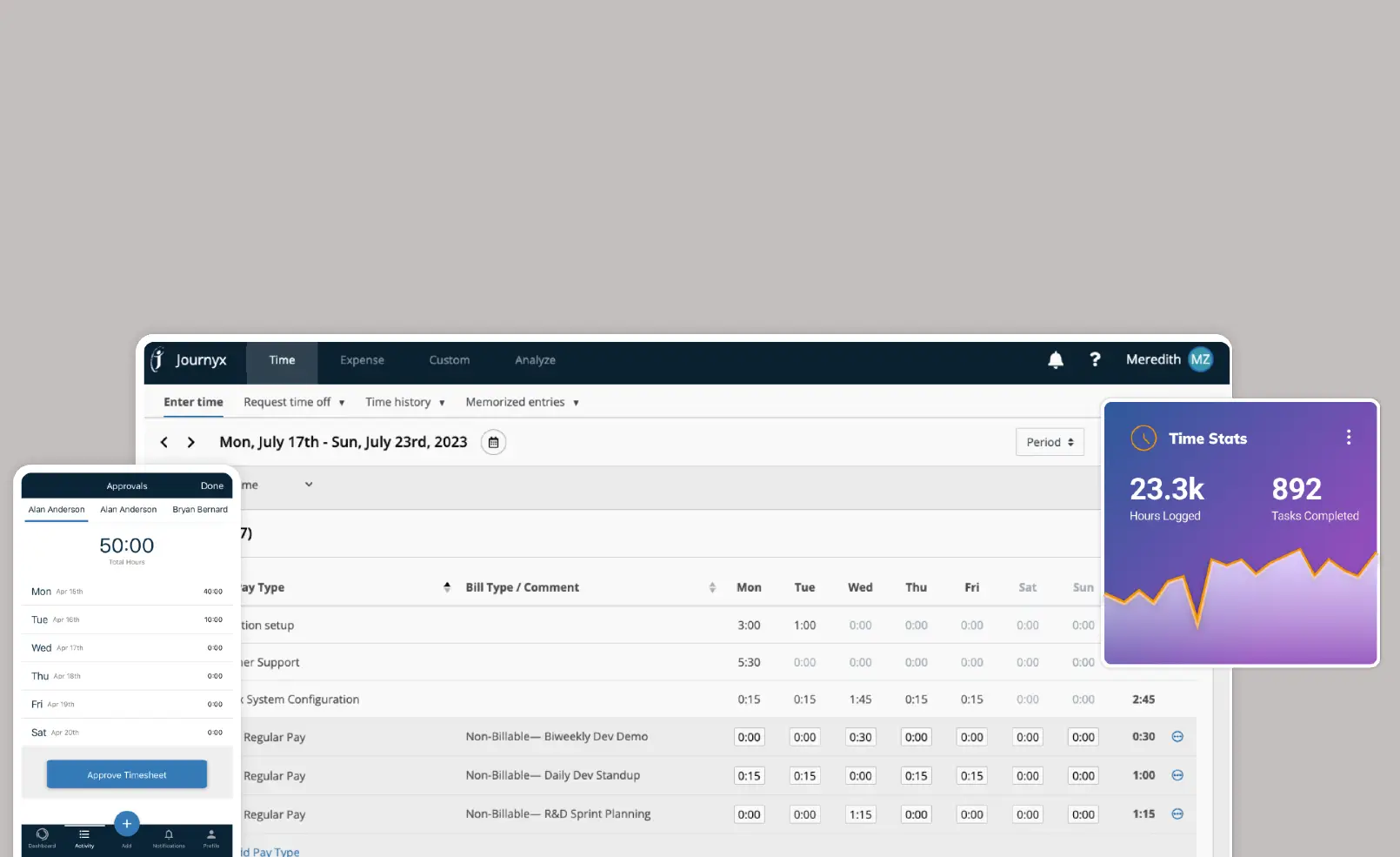
If you’ve ever tried to track employee hours using spreadsheets, sticky notes, or an ancient punch clock that sounds like it’s from the ’80s, you know one thing: time tracking can be a nightmare. That’s where NetSuite Time Tracking comes in — a system that turns the chaos of managing work hours, projects, and productivity into an organized, automated dream.
This guide breaks down everything you need to know about NetSuite’s time tracking features, how it works, why businesses love it, and how it can save your team hours every week (pun totally intended).
What Is NetSuite Time Tracking?
NetSuite Time Tracking is part of Oracle NetSuite’s ERP platform, designed to help businesses record, monitor, and manage employee work hours efficiently. Instead of juggling multiple systems or chasing timesheets, everything happens in one centralized place.
Whether your team is working on client projects, internal tasks, or billable hours, NetSuite captures it all — accurately, in real time. This data then connects automatically to billing, payroll, and project management modules, keeping your entire operation running smoothly.
In short: it’s not just a timer — it’s a business productivity system.
How NetSuite Time Tracking Works
Here’s a quick breakdown of how it functions in daily operations:
- Employees Log Time:
Team members can enter their time manually, or use timers for real-time tracking. - Managers Review & Approve:
Supervisors get automated notifications to review timesheets for accuracy and compliance. - Integrated Billing & Payroll:
Once approved, data flows seamlessly into billing, invoicing, and payroll systems. - Analytics & Reports:
Managers can view time utilization, project performance, and resource allocation insights — all from one dashboard.
Everything syncs automatically across departments, eliminating manual updates and reducing errors.
Key Features of NetSuite Time Tracking
Here are the main features that make NetSuite a favorite among finance and operations teams:
1. Real-Time Time Entry
Employees can log hours instantly — whether they’re at the office, on-site, or working remotely. NetSuite’s mobile app makes this super convenient.
2. Project & Job Costing Integration
Each time entry can be tied directly to specific projects, clients, or departments, helping you track true labor costs and project profitability.
3. Automated Approvals
Instead of chasing signatures or emails, NetSuite automates approval workflows to ensure compliance and accuracy.
4. Payroll and Billing Sync
Once approved, timesheets feed directly into NetSuite’s payroll and billing modules — cutting down on administrative work and data duplication.
5. Role-Based Access
Set permissions so employees see only what’s relevant to them, keeping data secure while maintaining transparency.
6. Detailed Reporting
Visual dashboards provide insights into employee productivity, billable vs non-billable hours, and budget utilization.
7. Mobile Accessibility
Using the NetSuite Time Tracker App, employees can submit hours anytime, anywhere — perfect for hybrid and field teams.
Benefits of Using NetSuite Time Tracking
Implementing NetSuite Time Tracking can dramatically simplify your workflow. Here’s how it pays off:
| Benefit | What It Means for You |
|---|---|
| Accuracy | Eliminates manual entry errors and missed hours. |
| Transparency | Real-time visibility into employee performance and project costs. |
| Efficiency | Automates approval and payroll processes. |
| Productivity | Helps identify time-wasting activities or underutilized staff. |
| Profitability | Tracks billable hours precisely for client invoicing. |
Basically, you get more work done with less confusion — and a happier finance team.
NetSuite Time Tracking for Different Teams
For Project Managers
You’ll know exactly how much time your team spends on each project, who’s overloaded, and which tasks eat up too much time. This helps with better resource allocation and deadline planning.
For HR and Payroll Teams
Forget the pain of late or inaccurate timesheets. With everything synced automatically, payroll processing becomes a breeze — fast, accurate, and compliant.
For Executives
Instant access to high-level insights like project profitability, labor cost trends, and employee productivity. That means faster, smarter business decisions.
Integration with NetSuite ERP Modules
One of the biggest advantages of NetSuite Time Tracking is that it doesn’t live in isolation. It integrates perfectly with other NetSuite modules such as:
- NetSuite Project Management
- NetSuite Payroll
- NetSuite Financials & Accounting
- NetSuite Resource Allocation
- NetSuite SuitePeople (HR Management)
This means data flows naturally through every department, giving you a 360° view of your business operations.
Setting Up NetSuite Time Tracking
Here’s a quick overview of the setup process:
| Step | Action | Result |
|---|---|---|
| 1. Enable Time Tracking | Turn on time tracking in system preferences. | Allows time entry fields and records |
| 2. Assign Employee Roles | Define who can log, approve, and view time. | Secure and structured workflow. |
| 3. Create Time Entry Forms | Customize based on your business needs. | Simplified and relevant forms for each department. |
| 4. Configure Approvals | Set multi-level approval chains. | Automated compliance and accuracy. |
| 5. Integrate with Payroll/Billing | Link with financial modules. | Instant updates and reduced manual work. |
| 6. Train Your Team | Provide quick how-tos or onboarding sessions. | Smooth adoption across teams. |
Once setup is done, it’s a “set it and forget it” system — everything runs automatically in the background.
Common Mistakes to Avoid
Even the best tools can go wrong if used incorrectly. Here are some rookie mistakes to dodge:
- Forgetting to assign time approval roles.
- Not training employees on mobile time entry.
- Ignoring time-off or holiday overlaps in reporting.
- Overcomplicating forms with too many custom fields.
Keep it simple, train your team, and review reports regularly. That’s the winning combo.
NetSuite Time Tracking Mobile App
The NetSuite Time Tracker App (available for iOS and Android) is a game-changer for remote and hybrid workers.
With the app, you can:
- Start/stop timers for tasks in real time.
- Submit timesheets instantly.
- View project details on the go.
- Get notified about pending approvals.
It’s basically a digital timesheet in your pocket — minus the paper cuts.
Pricing Overview
NetSuite doesn’t publish a fixed price list (thanks to its modular system), but here’s a ballpark:
| Plan Type | Estimated Monthly Cost | Includes |
|---|---|---|
| Small Team | $99–$299 | Basic time tracking, approvals, and reporting. |
| Mid-Sized Business | $300–$800 | Multi-user access, project integration, analytics. |
| Enterprise | $800+ | Advanced automation, payroll sync, custom workflows. |
Pricing depends on factors like user count, add-on modules, and customizations.
Why Businesses Love NetSuite Time Tracking
- It saves time — literally.
- Data accuracy improves, reducing payroll disputes.
- Managers get clarity, not chaos.
- Employees get flexibility, with mobile access.
- Executives get visibility, making smarter strategic moves.
It’s a win-win across all departments.
Conclusion
At the end of the day, NetSuite Time Tracking is more than a fancy timesheet tool — it’s a powerful system that helps your business stay efficient, transparent, and profitable. It turns the messy business of time tracking into an automated, insight-driven process that connects directly to the rest of your ERP ecosystem.
So if you’re still wrangling Excel sheets or sending weekly “Where’s your timesheet?” reminders, maybe it’s time to let NetSuite do the heavy lifting. Because in business, time really is money — and with NetSuite, you’ll know exactly where every minute goes.
FAQ
1. Is NetSuite Time Tracking included in all plans?
It’s included in most NetSuite ERP editions, but advanced features (like mobile tracking or project billing integration) may require add-ons.
2. Can employees use NetSuite Time Tracking on mobile?
Yes! The NetSuite mobile app allows employees to log hours, submit timesheets, and get notifications anywhere.
3. Does it integrate with payroll and billing?
Absolutely. Time data automatically flows into NetSuite Payroll and Billing modules for accurate invoicing and salary processing.
4. Can I track both billable and non-billable hours?
Yes. You can tag hours as billable or non-billable for detailed profitability reports.
5. Is it suitable for remote or field teams?
Perfectly. Mobile time entry ensures accurate tracking no matter where your team works.
6. How long does it take to implement?
Most businesses can get it running in 1–3 weeks, depending on customization and data migration needs.
7. What makes NetSuite better than standalone time trackers?
Integration. It doesn’t just track time — it connects that data to payroll, billing, and projects across your ERP, making it a complete business solution.